

BLOG
How to Choose the Best Gaming PC in Sydney: Complete Buyer’s Guide

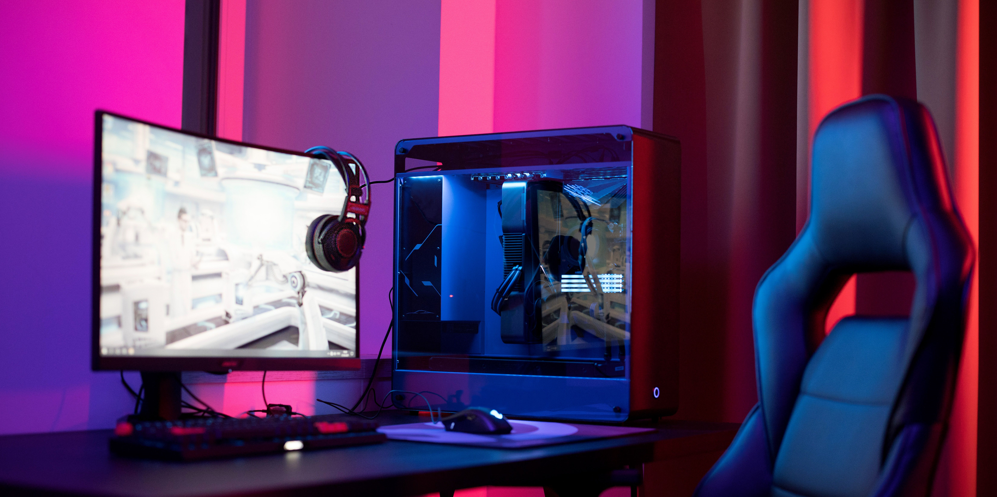
Buying a gaming PC should be exciting, not confusing. But with so many graphics cards, processors, memory options and price points available, finding the right computer can quickly become overwhelming.
If you’re searching for the best gaming PC in Sydney, you’ve probably already noticed that two computers with similar prices can offer very different gaming experiences. One might deliver excellent performance in competitive games, while another is better suited to visually demanding titles at higher resolutions.
The good news? You don’t need to be a computer expert to make the right decision.
Whether you’re buying your first gaming desktop, upgrading an older system or looking for a powerful custom-built setup, this guide will help you understand what matters, where to spend your money and what to check before purchasing.
1. Start With Your Gaming Needs
Before comparing specifications, think about what you’ll actually use your gaming PC for.
Someone who mainly plays Valorant, Fortnite or Counter-Strike 2 has different requirements from someone who enjoys Cyberpunk 2077, Microsoft Flight Simulator or heavily modded open-world games.
Competitive games often benefit from high frame rates and responsive performance. More graphically demanding titles usually need a stronger graphics card, particularly when played at 1440p or 4K.
Ask yourself a few questions:
- Which games do I play most often?
- Do I want to game at 1080p, 1440p or 4K?
- Am I aiming for 60 FPS, 144 FPS or higher?
- Will I also use the computer for streaming, video editing or work?
- How long do I want the PC to last before upgrading?
Your answers will help you avoid spending money on components you don’t need while ensuring you have enough performance for the games you love.
2. Set a Realistic Gaming PC Budget
One of the biggest mistakes buyers make is choosing a computer based purely on price.
A cheaper gaming PC might look appealing today, but if it struggles with your favourite games or requires immediate upgrades, it may not offer good long-term value.
Here is a general guide to gaming PC budgets in Australia.
| Budget (AUD) | Gaming PC category | Best suited for |
| $1,499–$1,799 | Entry-level | Esports, lighter games and basic 1080p gaming |
| $1,799–$2,499 | Mid-range | Strong 1080p and selected 1440p gaming |
| $2,499–$3,999 | High-performance | High-refresh-rate 1440p and demanding games |
| $4,000+ | Enthusiast | Premium 1440p, 4K and advanced multitasking |
These are indicative planning ranges rather than current WinTech CES prices. Actual performance depends on the components, and you should allow extra money for a monitor, keyboard, mouse or headset if needed.
For many Sydney gamers, a well-balanced mid-range PC offers an excellent combination of price, performance and upgrade potential.
3. Choose the Right Graphics Card (GPU)
The graphics card is one of the most important components in any gaming computer.
It’s responsible for rendering the images you see on screen, from detailed environments and realistic lighting to fast-moving action during competitive matches.
When comparing gaming PCs in Sydney, you’ll commonly encounter graphics cards from NVIDIA GeForce RTX and AMD Radeon RX families.
Rather than choosing a GPU based only on its model name, consider its actual gaming benchmarks, video memory (VRAM), power consumption and performance at your preferred resolution.
A simple way to think about GPU requirements:
- 1080p gaming: A capable entry-level or mid-range GPU is often sufficient.
- 1440p gaming: A stronger mid-range or high-end GPU provides more flexibility.
- 4K gaming: A high-performance GPU is usually needed for demanding titles and higher graphics settings.
Features such as ray tracing and upscaling technologies can also influence your decision.
Remember that the most expensive graphics card isn’t automatically the best choice. The right GPU is the one that matches your games, monitor and budget.
4. Don’t Overlook the Processor (CPU)
While the graphics card handles much of the visual workload, the processor plays an equally important role in keeping your gaming experience smooth.
The CPU manages game logic, physics calculations, background applications and many other tasks.
Two popular processor families are AMD Ryzen and Intel Core.
For most gamers, a modern six-core or eight-core processor offers a practical starting point, although performance varies considerably between generations and models.
If you’re planning to stream gameplay, edit videos or run demanding applications alongside your games, you may benefit from additional processing power.
The key is balance.
Pairing an extremely powerful graphics card with a much weaker processor can limit performance in certain games, particularly when targeting very high frame rates.
When buying a custom gaming PC in Sydney, look for a configuration where the CPU and GPU complement each other.
5. How Much RAM Do You Really Need?
RAM, or random-access memory, helps your computer handle active programs and game data.
Insufficient memory can lead to stuttering, longer loading transitions and poor multitasking performance.
For a modern gaming PC, these are useful guidelines:
| RAM | Recommendation |
| 8GB | Limited for many modern gaming setups |
| 16GB | Practical starting point for budget gaming |
| 32GB | Recommended for demanding games and multitasking |
| 64GB+ | Specialist workloads and heavy content creation |
For buyers who want a computer that remains comfortable to use over the coming years, 32GB of RAM is worth considering, particularly if the budget allows.
Also check whether the system uses DDR4 or DDR5 memory and whether the motherboard supports future upgrades.
6. SSD Storage Makes a Big Difference
Nobody enjoys waiting several minutes for a game to load.
That’s why solid-state drives (SSDs) have become an essential part of modern gaming computers.
Compared with traditional hard disk drives, SSDs offer much faster data access, helping Windows start quickly and reducing loading times in many games.
For most buyers, a 1TB NVMe SSD is a sensible starting point.
However, modern games can consume significant storage space. If you regularly install large titles, record gameplay or maintain an extensive game library, consider a 2TB SSD.
You can also check whether the motherboard has additional M.2 slots for future storage expansion.
7. Cooling and Airflow Matter More Than You Think
Sydney summers can be hot, and gaming PCs generate considerable heat during demanding sessions.
A computer with powerful components but inadequate cooling may become noisy or reduce performance when temperatures rise.
Good cooling helps maintain stable operation and protects the long-term reliability of your hardware.
When evaluating a gaming desktop, pay attention to the case design, ventilation, cooling fans and CPU cooler.
Air cooling is often a reliable and cost-effective option. Liquid cooling can also be useful, especially for high-performance builds, but it isn’t essential for every gaming PC.
A well-designed case with unobstructed airflow is usually more important than having a large number of decorative RGB fans.
If your gaming area gets particularly warm, make sure the computer has enough space around it for proper ventilation.
8. Choose a Reliable Power Supply
The power supply unit (PSU) rarely gets as much attention as the processor or graphics card, but it’s one of the most important parts of your computer.
A quality PSU delivers stable power to your components and supports safe operation.
Look for a reputable manufacturer, suitable wattage, appropriate power connectors and relevant electrical protections.
An 80 PLUS efficiency certification can be useful, but it doesn’t guarantee overall build quality on its own.
You should also consider whether the PSU has enough capacity for potential future upgrades.
A gaming PC that uses a reliable power supply may cost slightly more initially, but it’s generally a better investment than a system that cuts corners on essential components.
9. Prebuilt vs Custom Gaming PC: Which Is Better?
When shopping for gaming computers in Sydney, you’ll usually have two main options: a prebuilt gaming PC or a custom-built system.
Prebuilt gaming PCs are ideal for people who want a straightforward purchasing experience. The components are already selected and assembled, making it easier to get started without researching every individual part.
Custom gaming PCs offer more flexibility. You can choose components based on your favourite games, performance targets, storage requirements and personal preferences.
Neither option is automatically better.
A good prebuilt PC can deliver excellent value, while a custom build can help you prioritise the features that matter most.
Whichever route you choose, compare the complete specification rather than focusing only on the CPU and graphics card.
Check the motherboard, RAM configuration, SSD, cooling system, power supply and warranty coverage.
10. Don’t Forget Your Gaming Monitor
Even the best gaming PC won’t deliver its full visual potential if your monitor can’t display the performance it’s producing.
For example, a powerful system capable of generating very high frame rates may feel less impressive when paired with a basic 60Hz display.
A 1080p high-refresh-rate monitor can be an excellent match for competitive gaming, while a 1440p monitor offers a balance between image clarity and performance.
For enthusiasts who prioritise visual detail, a 4K monitor may be worth considering.
Make sure your graphics card is capable of delivering suitable frame rates at the monitor’s native resolution.
It’s often smarter to purchase a balanced gaming PC and monitor combination than to spend your entire budget on the computer alone.
11. Why Buying From a Sydney Gaming PC Retailer Can Help
Buying from an Australian retailer can make the purchasing process easier, particularly when it comes to product information, support and warranty questions.
Before choosing a gaming PC retailer in Sydney, check whether the business provides clear specifications, transparent pricing and accessible customer assistance.
You should also understand how warranty claims are handled, what support is available after purchase and whether the system can be upgraded later.
Australian Consumer Law provides consumer guarantees that may apply in addition to any manufacturer’s warranty.
A trustworthy retailer should make it easy to understand exactly what you’re buying, including the brands and models of important components.
At WinTech CES, you can explore the website as part of your research into gaming PC options and compare suitable configurations before making your decision.
12. Common Mistakes to Avoid When Buying a Gaming PC
Even experienced gamers can overlook important details when shopping for a new system.
One common mistake is spending almost the entire budget on the graphics card while neglecting the processor, memory or power supply.
Another is choosing a computer based on RGB lighting or case appearance rather than actual performance.
Buyers should also avoid assuming that more expensive always means better.
A well-balanced gaming PC that suits your needs can offer a better experience than a premium system with features you’ll rarely use.
Finally, don’t forget about upgradeability. Check whether the case, motherboard and power supply will accommodate future improvements.
A little research now can save you unnecessary expenses later.
13. Final Checklist Before Buying a Gaming PC in Sydney
Before placing your order, take a moment to review these essentials:
- Confirm that the GPU suits your preferred gaming resolution.
- Choose a CPU capable of supporting your performance goals.
- Select enough RAM for your games and multitasking needs.
- Make sure your SSD provides adequate storage.
- Check the quality of the power supply and cooling system.
- Compare the complete PC specifications, not just the headline components.
- Review warranty terms, support options and upgrade potential.
- Keep enough budget for a suitable monitor and accessories.
Taking the time to compare these details will help you choose a gaming PC that offers better value and a more enjoyable experience.
Find the Right Gaming PC in Sydney With WinTech CES
The best gaming PC isn’t necessarily the most expensive one. It’s the computer that delivers the performance you need, fits your budget and gives you room to grow.
Whether you’re a casual player, a competitive gamer or someone preparing for a more demanding gaming setup, understanding the key components makes the buying process much easier.
If you’re researching a gaming PC in Sydney, visit WinTech CES to explore your options and take the next step towards building your ideal gaming experience.
Choose wisely, prioritise performance and invest in a gaming PC you’ll enjoy using for years to come.
Frequently Asked Questions (FAQs)
What is the best gaming PC for beginners in Sydney?
A gaming PC with a modern six-core processor, dedicated graphics card, 16GB RAM and 1TB SSD is a good starting point for many beginners. The ideal configuration depends on the games you want to play.
How much should I spend on a gaming PC in Sydney?
Many buyers can find capable gaming PCs within a budget of approximately $1,500–$1,700 AUD. More demanding 1440p or 4K gaming may require a higher budget.
Is a custom gaming PC better than a prebuilt PC?
A custom gaming PC offers greater control over component selection, while a prebuilt system offers convenience. Both can provide excellent gaming performance when configured correctly.
Where can I buy a gaming PC in Sydney?
You can explore gaming desktop options through WinTech CES desktop computers or contact WinTech CES at Shop 5, 332 Military Road, Cremorne NSW 2090, for assistance with your requirements.